Recurring workshops
Keep a core set of questions across dates. Check whether comments point to changes in pace, materials, or practical exercises.
Collect ratings and written suggestions at the end of a workshop. Scan your PaperSurvey forms, review the answers, and bring paper and online feedback into one dataset for your training team.
For training providers, workshop facilitators, and learning teams running recurring sessions.
Use your office printer and document scanner. Review the results before you export.
Use recurring questions to understand the participant experience. Keep session and trainer identifiers with the responses so feedback reaches the right team.
Keep a core set of questions across dates. Check whether comments point to changes in pace, materials, or practical exercises.
Label each collection batch by session, trainer, and location. Check those labels before comparing groups.
Offer printed forms in the room and a web version when useful. Decide how to handle repeated submissions before collecting through both channels.
Test the questionnaire and export before the first workshop. Reuse the process for later sessions while keeping collection labels distinct.
Explore the help centerStart with a template or import questions from Word, PDF, or text. Include ratings and space for a specific suggestion, then generate new PaperSurvey forms.
Use question fields, prefilled values, or response tags appropriate to your workflow. Check the labels in a pilot export and keep the paper batches organized.
Scan completed PaperSurvey forms and review marks and transcribed comments against their images. Include spot-checks of accepted answers in your review process.
Export reviewed values to Excel, CSV, or SPSS. Check group sizes and missing answers, then read the comments alongside the ratings before deciding what to change.
This sample from our template library shows how ratings and open questions appear on paper. Adapt the wording to your workshop and generate forms in your own account before collecting responses.
You can also start with the Training Feedback Form in our template library. The downloadable dataset below is a separate, synthetic example for exploring coding and analysis.
Actual printable paper questionnaire
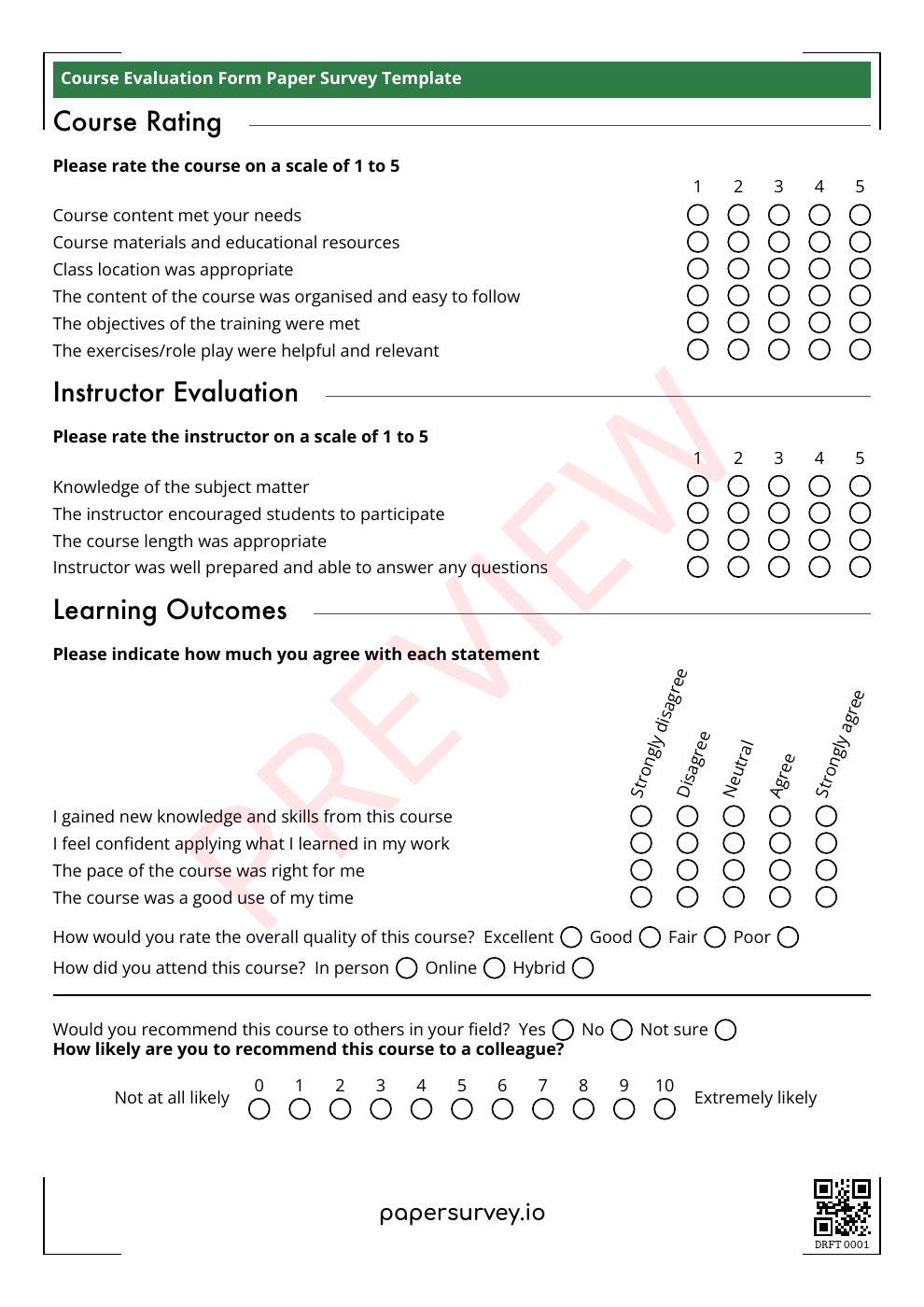
Customize the template in your account, print your forms, collect answers on paper, then scan the completed sheets.
Print on ordinary paper and scan with an office document scanner. Test your equipment before the full print run.
Review written suggestions alongside rating questions. Handwriting transcription helps reduce typing, with corrections available before analysis.
Use browser access to prepare, upload, and review from different computers. Check the included users and capacity on your chosen plan.
Bring a checked dataset to the people planning your next session. The sample files below let you inspect coding and missing values without creating an account.
Keep scale direction and wording consistent. Show how many responses each session received and check whether collection methods differed.
Read suggestions alongside the session and rating. Avoid publishing comments that identify participants when reporting group feedback.
Export to Excel, CSV, or SPSS. Confirm your plan or trial access and check a small export before committing to a full collection.
Explore 18 fictional responses across three training sessions and two trainers, with paper and web collection, rating questions, multiple selections, and written comments.
Synthetic example, not customer results. These files illustrate data structure and review decisions. They were prepared from fictional responses, not recognized from completed scans, and do not measure accuracy or processing speed.
Inspect the response columns in Excel.
Download XLSXImport the response values into your preferred tool.
Download CSVInspect variables, labels, and missing values in SPSS.
Download SPSS .savOpen the training questionnaire preview below to see the questions behind this dataset. Use the codebook to interpret the fields, then compare the intended answers with the illustrative review log to explore corrections, missing answers, and invalid marks. The questionnaire pictured earlier on this page is a separate template.
No account is needed for these downloads. The PDF is marked PREVIEW; generate your own live forms in PaperSurvey before collecting responses and check a pilot export against your analysis requirements. Read the export guide.
Bring your blank questionnaire and reporting needs. Request a demo and setup quote for your next training round.
Include your session dates, expected forms, pages per questionnaire, handwriting needs, and number of reviewers.
Request a training feedback pilotComplete the short enquiry form. We’ll reply by email and agree on scope and pricing before setup begins.
Prefer to start yourself?
Start a free 14-day Standard trialNo credit card required for the trial. Team and multilingual features depend on your plan. Compare plans.
PaperSurvey reads completed forms generated by PaperSurvey. You can import the questions from an existing document, but completed forms from another system cannot be scanned through this workflow.
Start before your next collection round, and test a few printed copies first.
Check how data is stored and processed, and request a Data Processing Agreement when your organization needs one.
Yes. Both channels can feed the same survey dataset. Decide how to record collection mode and resolve repeated submissions before the session.
PaperSurvey reads forms generated by PaperSurvey. Import the questions from your blank questionnaire and generate new forms before your next workshop; use your existing process for already-completed external forms.
Yes. Keep trainer and session labels with your responses using your chosen fields or tags, and check them in the export. Your reporting team decides how to compare groups and interpret the results.
Yes. Review transcribed comments against the scanned answers and correct them. Test the handwriting styles and languages you expect during your pilot.
No. They contain fictional responses for learning how to structure and inspect a dataset. They do not measure recognition accuracy, processing speed, or customer outcomes.
PaperSurvey also has test grading features. This workflow is for participant feedback about a training session; see our test grading page for answer keys and scoring.