Classroom quizzes
Reuse an answer-sheet layout for short quizzes. Set the key for each test and keep the results organized by class or collection round.
Keep tests on paper and let PaperSurvey compare scanned answers with your answer key. Print your forms, collect completed sheets, review the recognized marks, and export scores without entering every answer by hand.
For teachers, exam coordinators, and training teams running multiple choice tests and knowledge checks.
Use your office printer and document scanner. Review the results before you export.
Use printed answer sheets when participants should complete the assessment without a phone or computer. Your team manages the forms and grading in PaperSurvey.
Reuse an answer-sheet layout for short quizzes. Set the key for each test and keep the results organized by class or collection round.
Pair a separate question booklet with a numbered answer sheet. Check that question numbers, options, and the answer key agree before printing.
Score objective questions before or after a training session. Set a pass threshold when your assessment process calls for one.
Run a small practice batch before the real test. Include correct, incorrect, and blank answers so you can check the scoring and export.
Explore the help centerStart with a template or build your questions in PaperSurvey. Add a participant identifier if you need individual results, and generate the printable forms from your account.
Activate test grading in Survey Settings. Set an answer key for each graded question or grid row, assign points, and choose an optional pass threshold.
Print the forms, collect completed sheets, and upload scans. Check uncertain or changed marks against the original page before using the grades.
PaperSurvey calculates scores from your answer key. Review individual responses and class results, then export the graded data for your reporting process.
This OMR Answer Sheet fits 50 questions on one page, with A–E answer options arranged in two equal columns of 25 and a student ID field. Use it alongside your own question paper.
The sample shows the printed layout. It does not include your exam questions or a ready-made answer key: configure those for each test before collecting real responses.
Actual printable paper questionnaire
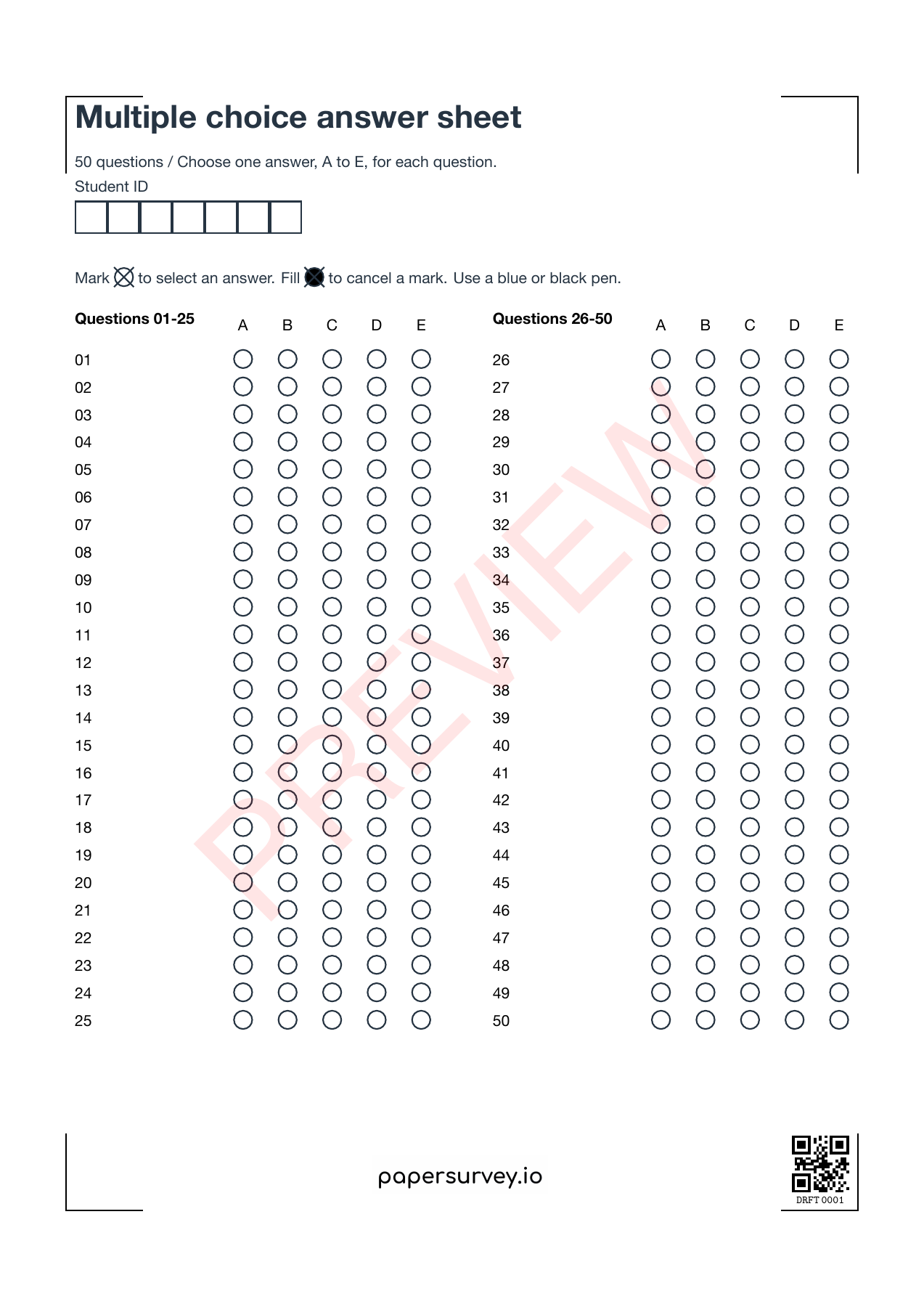
Customize the template in your account, print your forms, collect answers on paper, then scan the completed sheets.
Generate forms in PaperSurvey and use ordinary office equipment. Check print scaling and scan quality with a few practice copies before the full batch.
Grade single choice, multiple choice, and choice-grid questions. Give questions different point values when your scoring scheme requires it.
Keep the original scan available while checking recognized marks. Resolve ambiguous answers before sharing individual grades.
Use the responses and analysis views to inspect individual scores and understand how the group performed.
See total scores for processed responses. Set a pass threshold when you need a Pass/Fail result as well as the score.
Review the spread of scores and item difficulty to see which questions participants found harder. Use the findings to guide a closer review of the test.
Export graded results to Excel or CSV during an active trial or subscription. Check participant identifiers, score columns, and your pass threshold in a pilot export before importing it elsewhere.
Bring a blank test or answer sheet, its answer key, and your expected volume. Request a demo and setup quote to check the complete workflow with practice responses.
Include the number of participants and questions, your test date, and any scoring or export requirements.
Request a test grading pilotComplete the short enquiry form. We’ll reply by email and agree on scope and pricing before setup begins.
Prefer to start yourself?
Start a free 14-day Standard trialNo credit card required for the trial. Team and multilingual features depend on your plan. Compare plans.
PaperSurvey reads completed forms generated by PaperSurvey. You can import the questions from an existing document, but completed forms from another system cannot be scanned through this workflow.
Start before your next collection round, and test a few printed copies first.
Check how data is stored and processed, and request a Data Processing Agreement when your organization needs one.
Single choice, multiple choice, and choice-grid questions can be scored against an answer key. Each grid row can have its own correct answer.
Text and number fields are not automatically graded. Written answers need a separate review process; automatic scoring applies to the supported choice questions.
Use forms generated in PaperSurvey for this workflow. Recreate or import your questions first, generate new printable forms, and test a few completed copies before distributing them.
Yes. Updating the answer key recalculates scores for existing responses. Review the change and re-export any results you previously downloaded.
Yes. Set the points for each graded question. Incorrect options can also carry deductions if you configure them; test your scoring rules with practice responses.
You can export results for your existing records. Discuss a specific gradebook format or integration requirement before choosing the workflow.