You can change your PaperSurvey password at any time from your account settings.
How to change your password
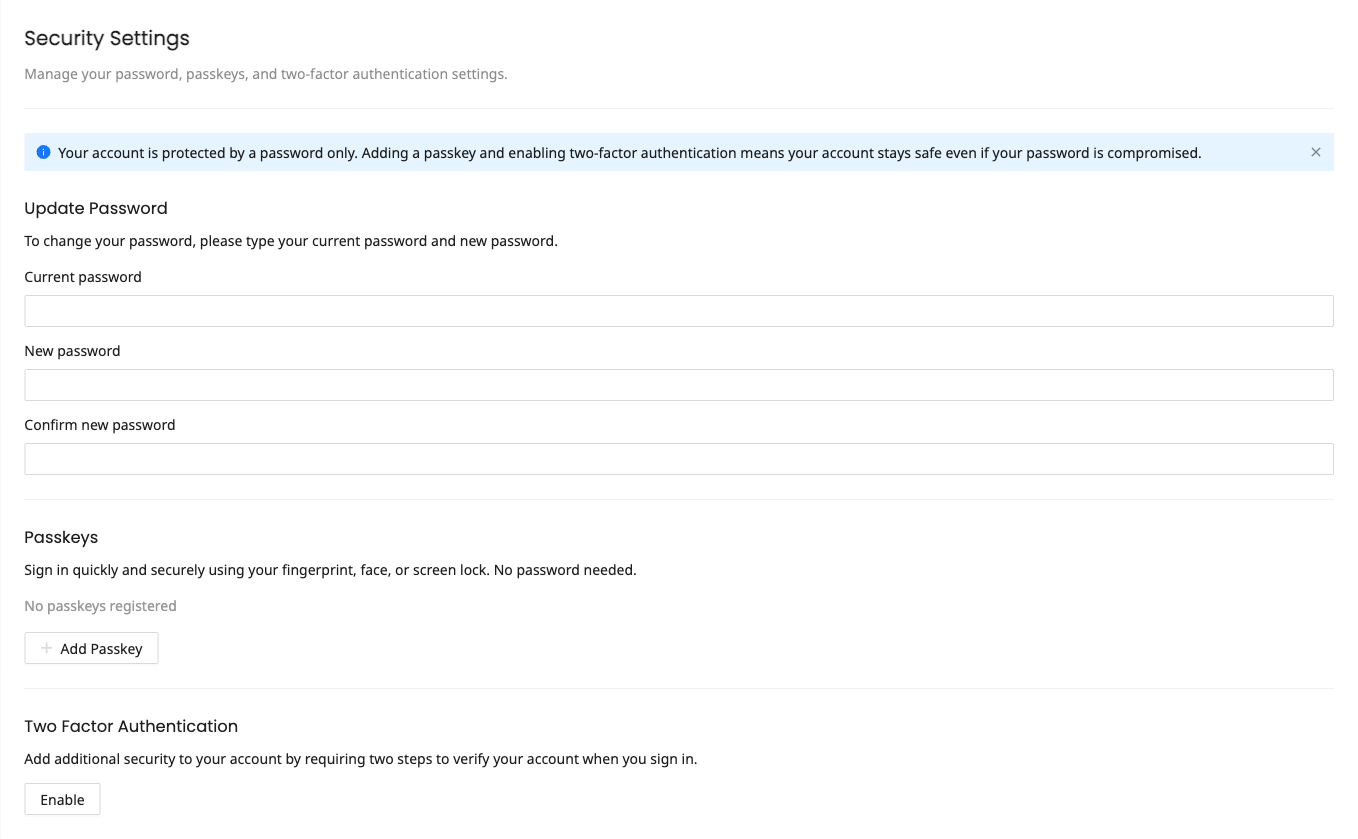
- Go to Settings and open the Security page
- Find the Update Password section
- Enter your current password
- Enter your new password
- Confirm the new password
- Click Update
For your protection, changing your password signs you out of any other devices where you are logged in.
Password requirements
Choose a strong password that is:
- At least 8 characters long
- Not easily guessable
- Not reused from another service
New passwords are also checked against known data breaches. If a password has appeared in a breach, it will be rejected and you will need to choose a different one. See Why was my password rejected? for details. A short sentence that is easy for you to remember works well.
Forgot your password?
If you cannot remember your current password, use the Forgot Password link on the login page. You will receive an email with a link to reset your password.
The reset link expires after 60 minutes, so use it promptly after receiving the email. If the link has expired, request a new one.
Using passkeys instead
If you prefer not to manage passwords, consider setting up a passkey for passwordless login. See Managing Passkeys for details. If you have disabled password login in favor of passkeys, the Update Password section is hidden from the Security page.