Passkeys provide a secure, passwordless way to sign in to PaperSurvey. Instead of typing a password, you authenticate using your device's biometric sensor (fingerprint or face recognition), a security key, or your device PIN.
What are passkeys?
Passkeys are a modern authentication standard (FIDO2/WebAuthn) supported by most browsers and devices. They are more secure than passwords because they cannot be phished or reused across sites.
Registering a passkey
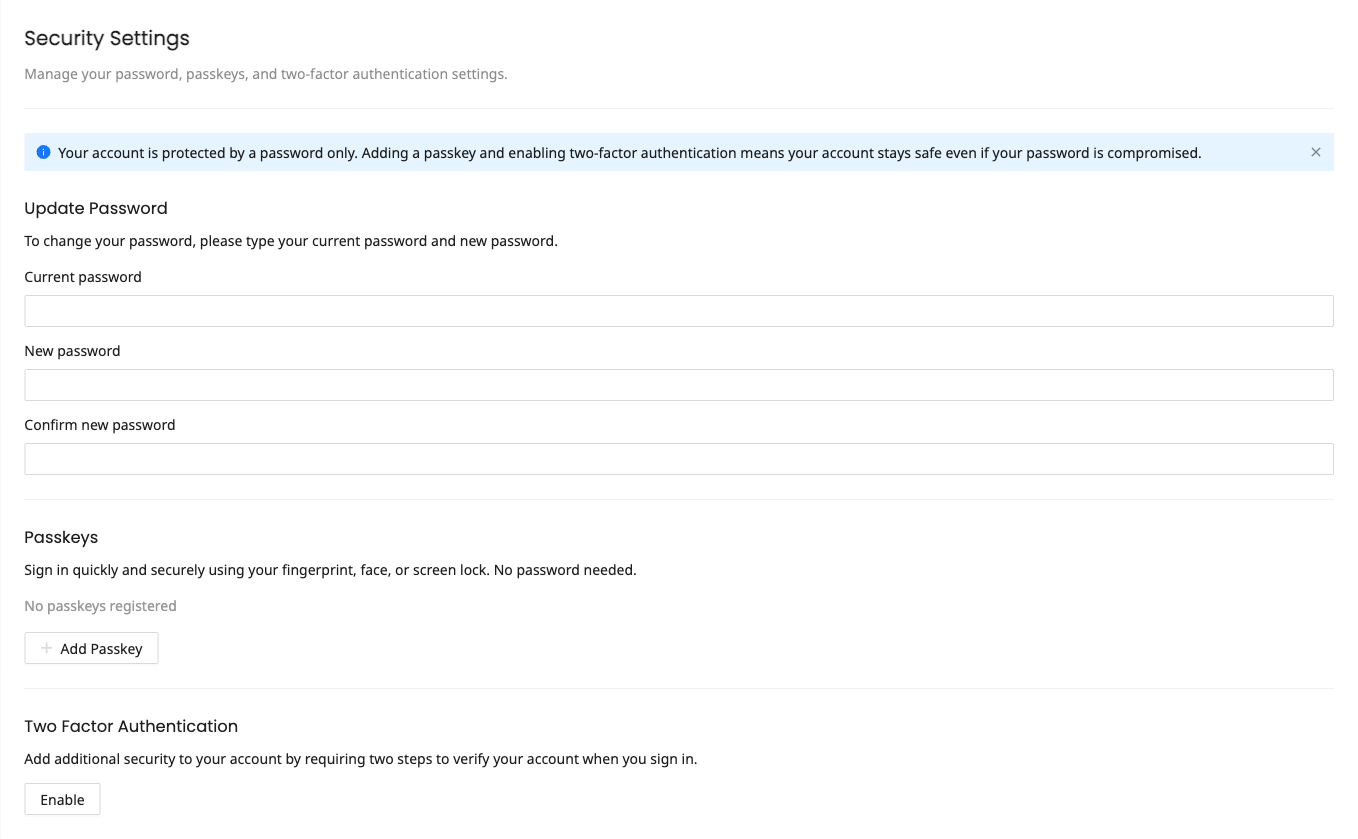
- Sign in to your PaperSurvey account with your existing password
- Go to Settings > Security
- Find the Passkeys section
- Click Add Passkey and confirm your password
- Give the passkey an optional name (e.g., "MacBook Pro" or "YubiKey") so you can identify it later, then click Register
- Follow your browser's prompt to register using fingerprint, face recognition, or a security key
You can register multiple passkeys for different devices, and you can rename a passkey at any time from the same list.
Signing in with a passkey
- Go to the PaperSurvey login page
- Under Or continue with, click Passkey
- Follow your browser's prompt to authenticate
No password is needed. The entire sign-in process takes just a few seconds. Your browser may also suggest your passkey automatically when you click into the email field.
Passkeys and 2FA
Passkeys automatically satisfy two-factor authentication requirements. If your team enforces 2FA, registering a passkey counts as meeting that requirement without needing a separate authenticator app.
We recommend setting up a traditional 2FA method (authenticator app) as a backup even if you use passkeys as your primary sign-in method. This ensures you can still access your account if you lose access to all your passkey devices.
Removing a passkey
- Go to Settings > Security
- Find the passkey you want to remove in the Passkeys section
- Click the delete (trash) icon and confirm with your password
Make sure you have at least one other sign-in method (another passkey or your password) before removing a passkey. If you have disabled password login, you cannot delete your last remaining passkey.
Disabling password login
Once you have at least one passkey registered, a Disable password login switch appears in the Passkeys section. Turning it on means your password can no longer be used to sign in, so only your passkeys will work. You can turn password login back on at any time from the same place.
Supported devices and browsers
Passkeys work on most modern devices:
- macOS - Safari, Chrome, Firefox (Touch ID or external security key)
- Windows - Chrome, Edge (Windows Hello or external security key)
- iOS / Android - Mobile browsers with biometric authentication
- Security keys - USB or NFC keys that support FIDO2