Harmonic Mean Calculator
Calculate the harmonic mean, useful for averaging rates and ratios. Paste your numbers below.
Learn how to calculate it yourselfEnter your values
Results update as you type.
How to enter your data
Type or paste your numbers into the box, separating each one with a comma, a space, or a new line (for example: 40, 60, 30). Every number must be positive and none can be zero, because the calculation divides by each value, and dividing by zero is not possible.
Harmonic mean
Check your inputs
Enter valid values to see your result. Use the field hints or open the data guide for help.
The Harmonic Mean Calculator works out a special kind of average for a list of numbers. It is the fairest average to use when your numbers are rates or ratios, meaning "something per something" such as miles per hour, price per item, or jobs per hour. It gives you one single number, and that number always sits closer to the smaller values in your list than an ordinary average would.
Calculate it yourself
For two equal-distance journeys at 30 and 60 km/h, use the harmonic mean to find the overall speed.
Follow this worked example, then repeat the steps with your own numbers.
Take the reciprocal of each value
1 ÷ 30 = 1/30; 1 ÷ 60 = 1/60.Add the reciprocals
1/30 + 1/60 = 3/60 = 1/20.Divide the count by that sum
Harmonic mean = 2 ÷ (1/20) = 40 km/h.
Use positive values only. The equal-distance condition matters: equal-time journeys would use the arithmetic mean instead.
Check your answer in the calculatorBuilt into PaperSurvey.io
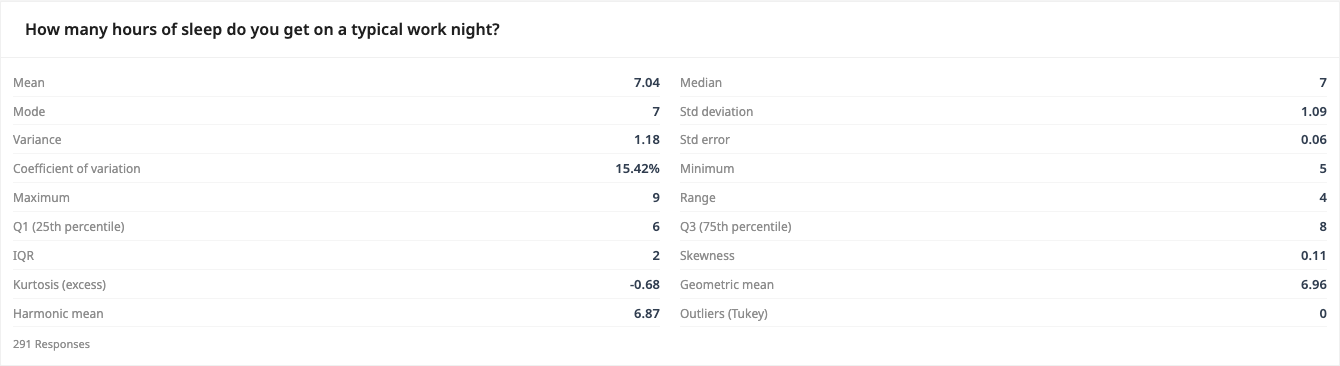
Read the harmonic mean in Descriptive Statistics when that average suits the rates you are analyzing.
Where it is used
- Drivers and delivery planners: A courier drives the same route out at 40 miles per hour and back at 60 miles per hour, and uses the harmonic mean to find the true average speed for the whole trip.
- Small-business owners: A shop owner buys the same product at three different prices and works out a fair average cost per unit.
- Finance students and investors: A student averages the price-to-earnings ratios of several companies to get a fair overall figure instead of a misleading plain average.
When to use the harmonic mean
The harmonic mean is best for averaging rates defined relative to some unit, such as speeds over the same distance. It gives more weight to smaller values.
When should you use it?
Use the harmonic mean when your numbers are rates or ratios, in other words figures that already have a "per" in them. Good examples are speeds (miles per hour), prices (cost per item), and work rates (jobs per hour). A quick rule of thumb: if the word "per" fits your numbers, the harmonic mean is usually the fair choice. Do not use it for plain quantities like ages, test scores, or headcounts. For those, a normal add-them-up-and-divide average is the right tool.
What does the result mean?
The result is a single average value, shown in the same units as the numbers you entered. For example, if you typed speeds in miles per hour, the answer is also in miles per hour. This average will always be a little lower than the ordinary average, because it leans towards the smaller numbers in your list. There is no universal "good" or "bad" value, since it depends entirely on what you are measuring. Simply read it as the fair average rate for your particular situation.
Mistakes to avoid
Do not include a zero in your list, as it breaks the calculation and no answer can be given. Do not use negative numbers either. Avoid using the harmonic mean for plain counts like ages, prices of unrelated things, or exam marks, because a normal average suits those better. Make sure you enter every value and separate them clearly with commas, spaces, or new lines. Finally, double-check that your numbers really are rates or ratios before trusting this average over a regular one.
How to use this calculator
- Type or paste your numbers into the box, separating each one with a comma, a space, or a new line.
- Check that every number is positive and that none of them is zero.
- Press Calculate to work out the harmonic mean.
- Read the result, which is the fair average of your numbers, shown in the same units you entered.
Worked example
Imagine a courier drives the same road to a customer at 40 miles per hour, then drives back at 60 miles per hour. To find the true average speed for the round trip, enter 40 and 60. The calculator gives a harmonic mean of 48 miles per hour, which is lower than the plain average of 50 because more time was spent at the slower speed.
Frequently asked questions
What do I type in the box?
Type your list of numbers, one after another, separating each with a comma, a space, or a new line. For example: 40, 60, 30.
Where do I get these numbers?
They come from your own records or measurements, such as the speeds you travelled, the prices you paid per item, or the rates of work you observed.
What does the answer mean?
It is the fair average of your rates or ratios. Read it in the same units as the numbers you entered, for example miles per hour or pounds per item.
Why is the result lower than a normal average?
The harmonic mean gives more weight to the smaller numbers in your list, so its answer is always equal to or below the everyday average. This is exactly what makes it fairer for rates.
Can I use zero or negative numbers?
No. Every number must be positive and above zero, because the calculation divides by each value, and dividing by zero is not possible.
Get Started with PaperSurvey.io Software
Start your 14-day free trial now, no credit card required.