Email upload gives you a fast, familiar way to submit scanned surveys for automatic processing. Instead of logging into PaperSurvey to upload files manually, you simply attach your scans to an email and send them to your unique upload address. This is especially useful for field teams and remote scanning workflows.
How email upload works
Every PaperSurvey account includes a unique upload email address. When you send scanned surveys to this address:
- Attachments are automatically extracted and processed
- Uploaded documents are automatically recognized into survey responses
- Results appear in your account within minutes
Your unique upload address
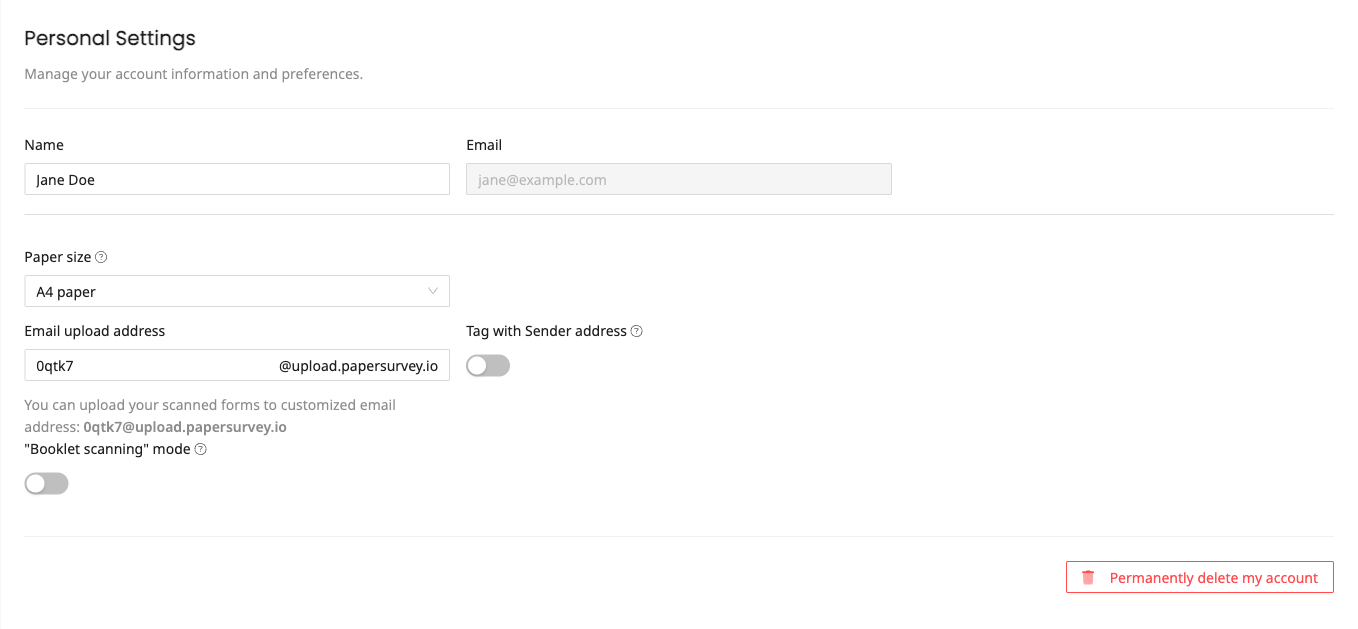
Find your personalized upload email in your General Settings. You can customize this address to make it memorable, for example:
surveys@upload.papersurvey.iofieldwork@upload.papersurvey.ioresearch2024@upload.papersurvey.io
Perfect for these workflows
Mobile scanning on the go
Scan surveys with your phone's scanning app, then email them immediately. No need to wait until you're back at the office.
Scanner email integration
Many modern scanners can email scanned documents directly. Configure your scanner to send to your PaperSurvey upload address for one-touch processing.
Team data collection
Share your upload email with field teams. They can submit scanned surveys from anywhere without needing account access.
Email setup guidelines
File attachments
- Formats: Attach PDF, JPG, PNG, TIFF, or HEIC files
- Size limit: Keep individual attachments under 25MB (some email providers limit to 20MB)
- Multiple files: Send multiple attachments in one email, and they'll all process together
- File names: Use clear names to identify surveys later
Very small attachments (under about 10 KB) and small inline images such as email signature logos are ignored automatically. If an attachment is in an unsupported format, you will receive a reply listing the skipped files, and if you forget to attach any files you will get a reply asking for them.
Email body and subject
The email body text is optional and won't affect processing. Use it for notes to yourself or your team.
Tagging emailed uploads
Documents uploaded by email are given the tag email by default. To assign your own tag, use plus addressing: sending to youraddress+clinic1@upload.papersurvey.io tags the documents as clinic1. Add a + for each further tag, so youraddress+clinic1+morning@upload.papersurvey.io applies two.
Structured KEY:VALUE tags work here as well. Neither a colon nor a space is legal in an email address, so an equals sign stands in for the colon and two underscores stand in for a space: youraddress+Clinic=North__Wing@upload.papersurvey.io tags the documents Clinic:North Wing. A single underscore stays literal, so Site_ID=A1 still gives you Site_ID:A1.
You can also enable "Tag with Sender address" in your General Settings to tag each document with the address it came from, written as From:john.doe@example.com. It applies alongside plus addressing rather than replacing it, so one email can carry both the sender and its own tags. An address that sets the key itself, such as youraddress+From=Reception__Desk@upload.papersurvey.io, is used instead of the sender.
Security considerations
Your upload email address is unique and private. All uploads are encrypted during transmission and storage.
Need to change your upload address or adjust tagging options? Visit your General Settings to manage email integration options.