Enterprise Plus subscribers can use custom domains for their web surveys, allowing you to maintain consistent branding throughout the survey experience. Instead of the default PaperSurvey URL, respondents will see your organization's own domain, which builds trust and reinforces your brand identity.
Understanding Your Options
Default URL: papersurvey.io/s/30pk2m
- You can customize the ending (e.g., "30pk2m") if available
- Works immediately without configuration
- Suitable for most survey needs
Custom domain: survey.yourcompany.com
- Requires Enterprise Plus subscription
- Maintains your brand identity
- Requires DNS configuration
Both URLs remain active after setup, giving you flexibility in how you share your survey.
Setting Up Your Custom Domain
Step 1: Choose Your Domain Structure
You have three options for how your survey URL will appear:
Subdomain (recommended):
survey.yourcompany.com- Easiest to set up
- Does not affect your main website
- Requires one DNS record
Top-level domain:
yourcompany.comorwww.yourcompany.com- Uses your main domain
- Requires two DNS records
- May conflict with existing website
Full domain parking: All subdomains point to PaperSurvey
- Best for dedicated survey domains
- Allows multiple surveys without DNS changes
- Requires wildcard DNS record
Step 2: Configure DNS Records
Share these instructions with your IT team to update your DNS settings:
| Setup Type | Host/Name | Record Type | Value | TTL |
|---|---|---|---|---|
| Subdomain | survey | CNAME | domain.papersurvey.io | 3600 |
| Top-level | www or @ | CNAME or A | domain.papersurvey.io or 188.166.134.131 | 3600 |
| Full parking | * or @ | CNAME or A | domain.papersurvey.io or 188.166.134.131 | 3600 |
Step 3: Add Domain in PaperSurvey
- Navigate to your custom domains settings
- Click "Add New Domain"
- Enter your domain exactly as it will appear
- Save your settings
DNS changes typically take 15-60 minutes to propagate worldwide.
Customizing Your Survey Appearance
Once your domain is active, you can further customize the survey:
Custom CSS: Add your own styles to match your brand. You can change colors, fonts, and spacing, override default styles, and maintain consistency with your website.
Logo and branding: Include your organization's visual identity by adding your logo to the survey header, customizing colors to match brand guidelines, and creating a seamless brand experience.
Security Features Included
Every custom domain automatically includes:
- SSL/TLS encryption: Secure data transmission
- Let's Encrypt certificate: Free, auto-renewing security
- HTTPS enforcement: All traffic encrypted
- No additional costs: Security included with Enterprise Plus
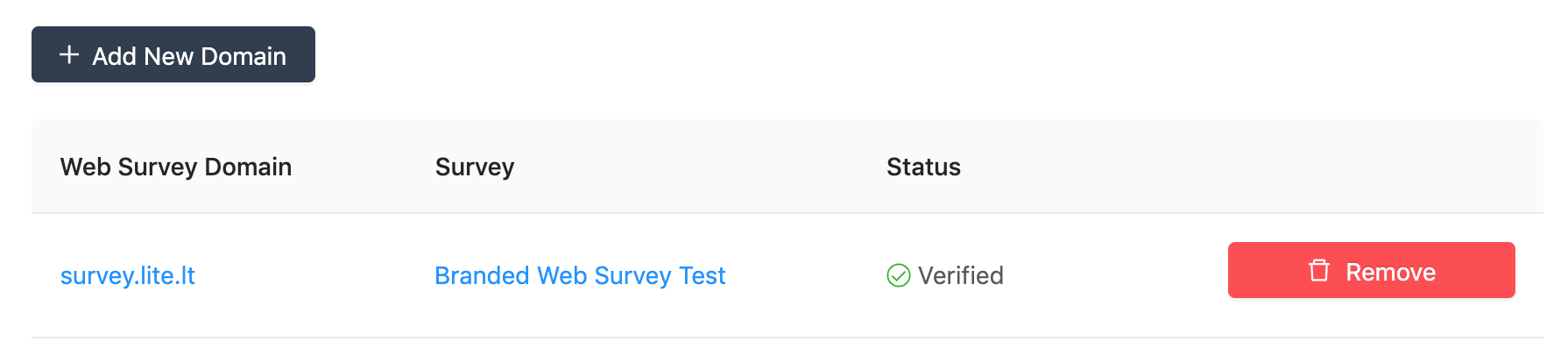
View a working example: survey.lite.lt (custom domain) vs papersurvey.io/s/30pk2m (default URL)