QR codes are a convenient way to share your web survey with respondents. People scan the QR code with their smartphone camera and are taken directly to your survey, with no need to type a URL.
Generating a QR code
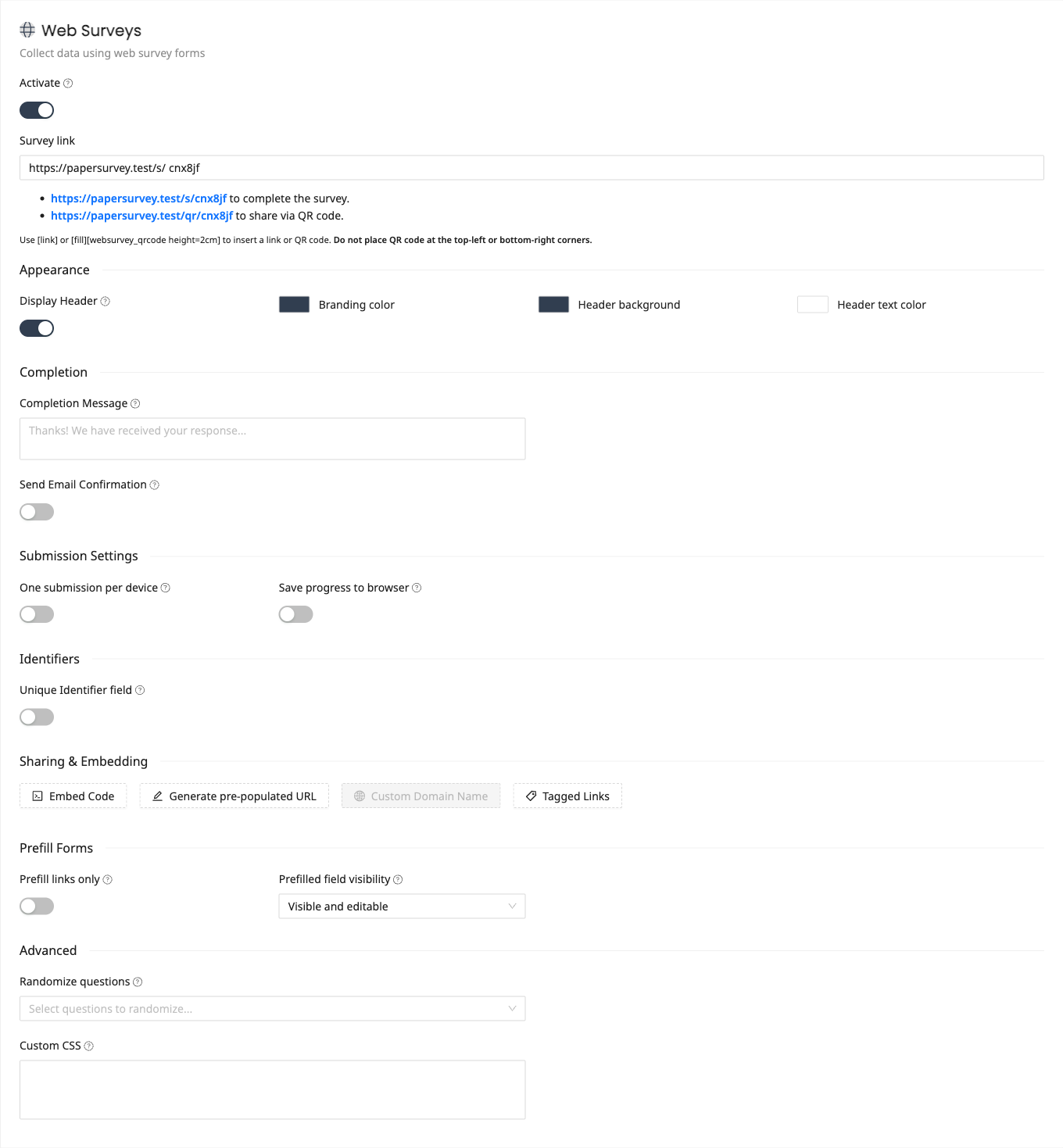
- Open your survey and enable Web Surveys if not already active
- Copy your survey link
- Use any free QR code generator (search for "QR code generator" online) to create a QR code from your survey URL
You can also generate a QR code within PaperSurvey. In your survey's Web Surveys settings there is a QR code link (ending in /qr/ followed by your survey slug) that opens the QR code image, which you can then save.
Where to use QR codes
QR codes work well in situations where people have their phones nearby:
- Printed flyers and posters - Place in waiting rooms, notice boards, or event venues
- Business cards - Include a feedback survey QR code on your business card
- Product packaging - Collect customer feedback at the point of use
- Event materials - Add to programs, badges, or table displays
- Receipts - Print on receipts for post-purchase feedback
- Presentations - Display on screen during meetings or conferences
Best practices
- Make it large enough - QR codes should be at least 2cm x 2cm (about 1 inch) for reliable scanning
- Test before printing - Scan the QR code yourself to confirm it leads to the correct survey
- Add a call to action - Include text near the QR code like "Scan to share your feedback" so people know what it does
- Use a short URL - PaperSurvey's survey links are already short, which produces simpler QR codes
- Ensure contrast - Print QR codes in dark colors on a light background for best scanning results
Combining QR codes with paper surveys
You can include a QR code on your printed paper survey as well. This gives respondents the option to complete the survey on their phone instead of filling in the paper form. See How to Insert a QR Code for details on adding QR codes to your survey design.
Tracking QR code responses
Responses submitted through a QR code link are recorded as web survey responses. They appear in the same Responses tab alongside paper responses and can be filtered by collection method.