By default, PaperSurvey arranges answer options vertically, one per line. You can change this to display multiple options per row, saving space on your survey form.
Adjusting options per row
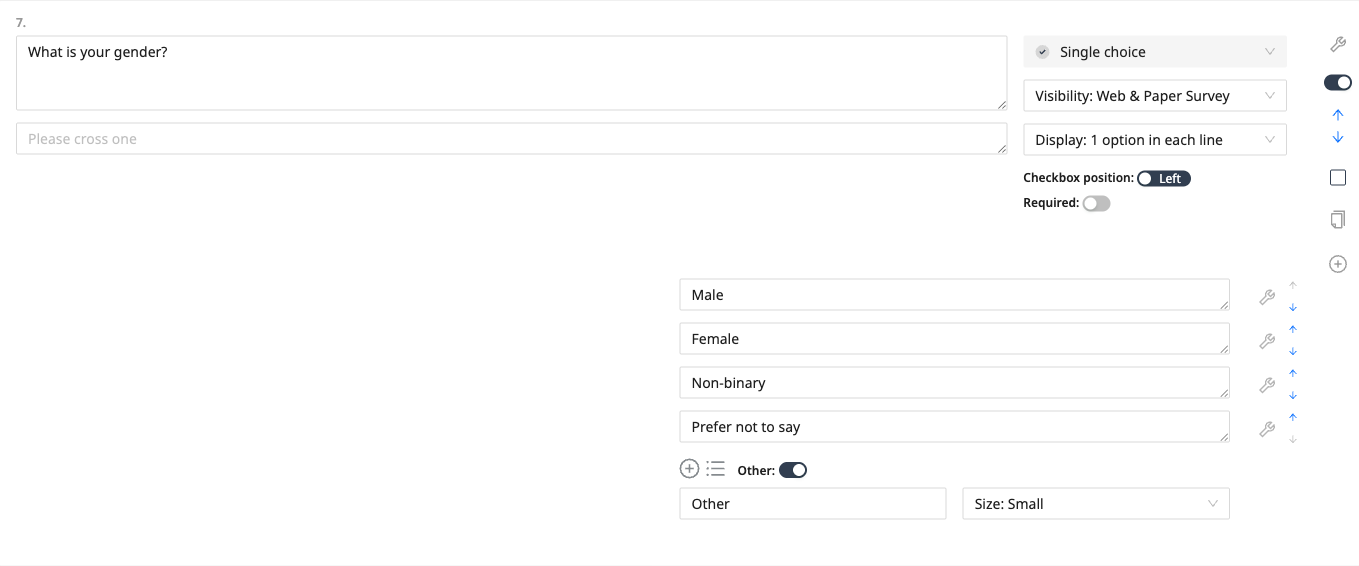
- Click on the question you want to modify in the survey editor
- Find the Display dropdown in the question settings
- Choose how many options to show in each line, from 1 up to 15
- Alternatively, choose Display: Inline to flow the options one after another across the page (note that help text is not shown for inline questions)
When to use multiple options per row
Two or three per row works well when:
- Options are short (e.g., "Yes", "No", "Maybe")
- You want to save vertical space on the page
- You have a long list of simple choices
One per row (the default) is better when:
- Options have longer text
- You need space for checkboxes to be clearly separated
- Respondents might confuse which checkbox belongs to which option
Impact on recognition
The number of options per row does not affect recognition accuracy. PaperSurvey handles all layouts correctly. However, make sure options do not feel too crowded, as this can lead to respondents accidentally marking the wrong checkbox.
Preview your changes
After adjusting the layout, use the Preview button to see how the question will look when printed. This helps you verify that the options are readable and well-spaced.